How to record Flirt4Free with CaptureGem
flirt4free.com
Use the model name after ?model= in the room address, exactly as written: lowercase, with hyphens.
- What to enter
- Model name
- Account
- You don't need a Flirt4Free account.
1. Install CaptureGem
CaptureGem is a desktop app for Windows, macOS and Linux. Install it from capturegem.com and launch it. Use the latest version for the newest Flirt4Free fixes.
2. Find the model name
https://www.flirt4free.com/?model=model-name
The room address contains the model's name after ?model=. Flirt4Free names are lowercase with hyphens between words, and CaptureGem needs the name exactly as it appears there: model-name works, while Model Name and Model-Name don't.
3. Add the stream
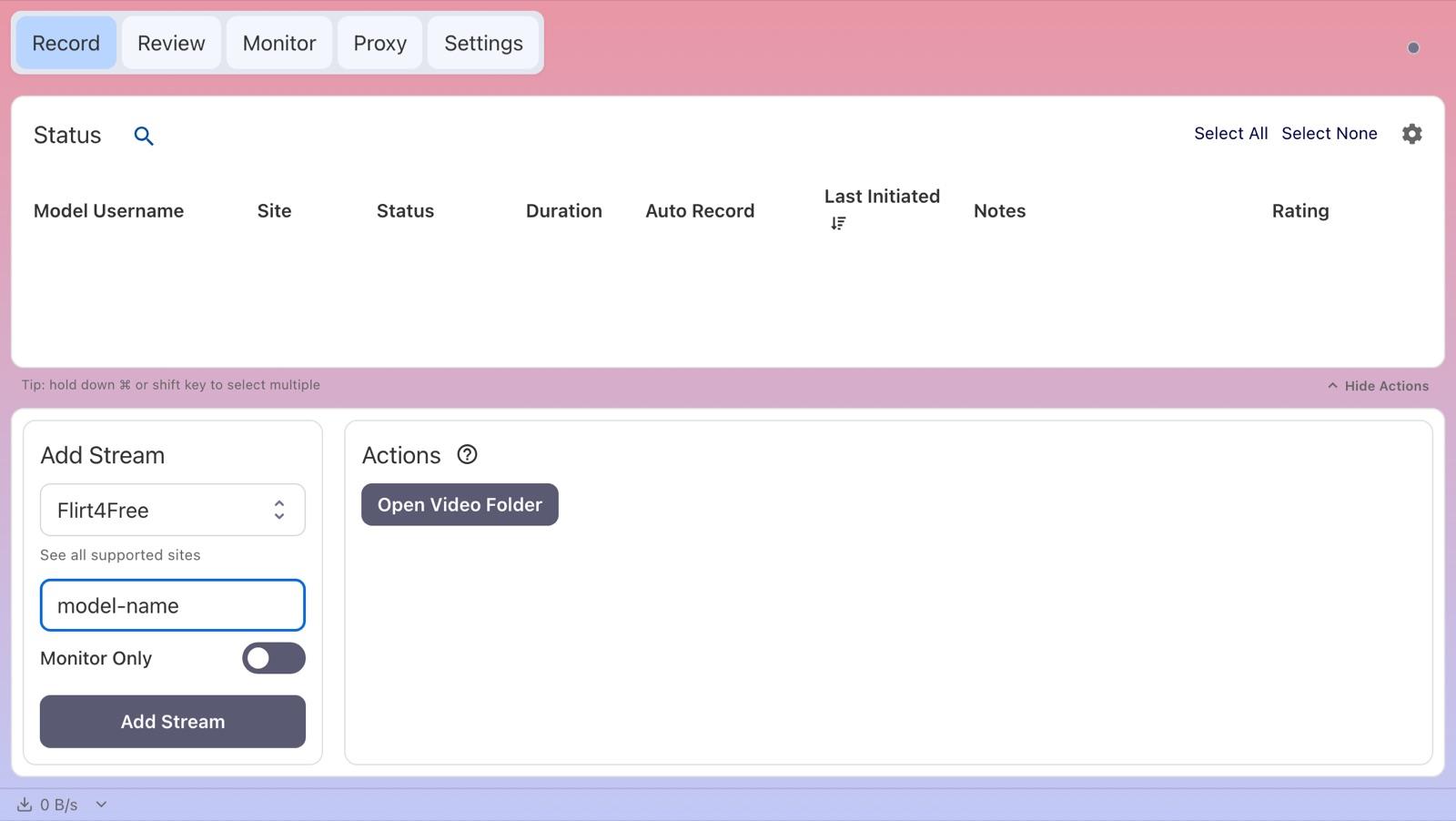
Open the Record tab and use the Add Stream panel. Paste a link that contains ?model= into Enter URL or Username; CaptureGem selects Flirt4Free and reads the name from it. You can also choose Flirt4Free under Select Website and type the name. Other Flirt4Free links don't include the name, so type it rather than pasting them. Leave Monitor Only switched off so the stream gets saved, then click Add Stream.
4. Record
During a public show the status changes to Recording after CaptureGem connects to the room, which takes a few more steps on Flirt4Free than on most sites. Otherwise it shows Offline or Errored.
What the statuses mean on Flirt4Free
- Offline: the room isn't open to the public.
- Errored ("username not found or offline"): CaptureGem finds Flirt4Free models through the site's list of who is live, so an offline model or a misspelled name can't be found.
Hover over a status for more detail, including the reason behind an Errored status.
Free and Premium
Free: recordings are capped at 5 minutes each, and your list holds up to 10 models. A recording only starts if the model is live when you add or start them; if they were offline, start it again later.
Premium: lifts both limits and unlocks auto-record. Pick the model on the Record tab, go to Modify Auto Record in the Actions panel, select Record Always and click Confirm. From then on a recording starts each time the model goes live and resumes after a dropped connection. The Auto Record All Newly Added Models option in Settings applies this to every model you add.
Live previews of everything being recorded appear on the Monitor tab.
Compare the Free and Premium plans
5. Find your recording
After a recording stops, CaptureGem turns it into a video file; give long recordings a little time. The Review tab lets you play, trim, tag or delete it, and Open Video Folder on the Record tab opens the folder they are saved in.
MP4 is the default format. Premium splits recordings into files of up to 60 minutes by default, and auto-record rolls straight into the next file. In Settings you can pick another save folder, another container, or a different file length (Cap Video Segments at Duration (Minutes)).
Overview of the CaptureGem settings
Flirt4Free notes and troubleshooting
- Name not found: Check that the model is live and that the name exactly matches the ?model= part of their room address. An entry added from a link without ?model= is named unknown-model; remove it and type the name.
- Slow connections: Looking up the model, joining the room's chat and requesting the video all have to finish within Network Timeout (Seconds) in Settings > Advanced Settings. On a slow connection, a higher timeout gives them more time.
- "Checking your browser" page: CaptureGem gets past Flirt4Free's browser check automatically.
- Quality: To use less bandwidth and disk space, set a lower Flirt4Free limit under Max Resolution Per Site in Advanced Settings.
- Private shows: Flirt4Free has no separate Private status in CaptureGem, which records public shows only.
- Still failing: If recordings keep failing, update CaptureGem and check that the stream plays in your browser. Premium members can also send a failed recording to CaptureGem support.Send a failed recording to support