CaptureGem vs Moniturbate: which auto-recorder to use, and how to switch
Updated
The short answer
- Choose CaptureGem if you use a Mac or Linux, follow models on sites outside Moniturbate's list, record VR, or want a free version that records more than one model at a time.
- Moniturbate suits a Windows user who follows models only on its ten listed platforms and wants a simple tool.
- On features, free-version limits and platform support, CaptureGem comes out ahead for most people.
CaptureGem and Moniturbate at a glance
Scroll the table sideways to see both columns.
| Feature | CaptureGem | Moniturbate |
|---|---|---|
| Desktop app | Windows, macOS and Linux | Windows (a free Chrome extension is listed separately) |
| Built-in sites | 25, including three VR sites | Lists 10 platforms |
| Other platforms | 130+ through Streamlink | Not advertised |
| VR recording | StripchatVR, Dreamcam and SexLikeReal | Not mentioned |
| Free version | Up to 10 models, several recording at once, 5 minutes per recording | Unlimited monitoring list, one recording at a time, no auto-record, list not saved between sessions |
| Paid plan | Premium (see the plans page) | Premium, listed at $29 per month |
| Auto-record | Premium; restarts after disconnects | Premium |
| File formats | MP4 by default, MKV optional | .ts and MP4 (automatic MP4 encoding on Premium) |
| Editing | Keep or cut sections; combine recordings | Cut, trim and extract clips as compressed MP4 |
| Review library | Image grids, tags, favorites, deletion protection | Not advertised |
| Cross-site groups | Yes, with Premium | Not advertised |
| Private shows you watch | Proxy mode, with Premium | Not advertised |
Same idea, different reach
Both programs keep a list of models, track their status, and record when you tell them to, or automatically on their paid plans. Both aim for the highest quality a broadcast carries, and Moniturbate promotes support for 720p, 1080p, 4K and 60 FPS streams where a room offers them. The real differences are where they run, which sites they reach, and how much the free version lets you do.
Moniturbate's monitoring list shows who is online or offline, with live thumbnails. CaptureGem shows each model's status on the Record tab, and its Monitor tab previews every active recording from the stream it is already saving, so watching along costs no second download.
Windows only, or any desktop
Moniturbate's desktop recorder is Windows software; its site talks about recording with your Windows computer. A free Chrome extension covering Windows, macOS and Linux is listed too, but it is a different product. CaptureGem is one full desktop app for Windows, macOS and Linux, so a MacBook or a Linux box gets every feature a Windows PC does.
Sites and VR
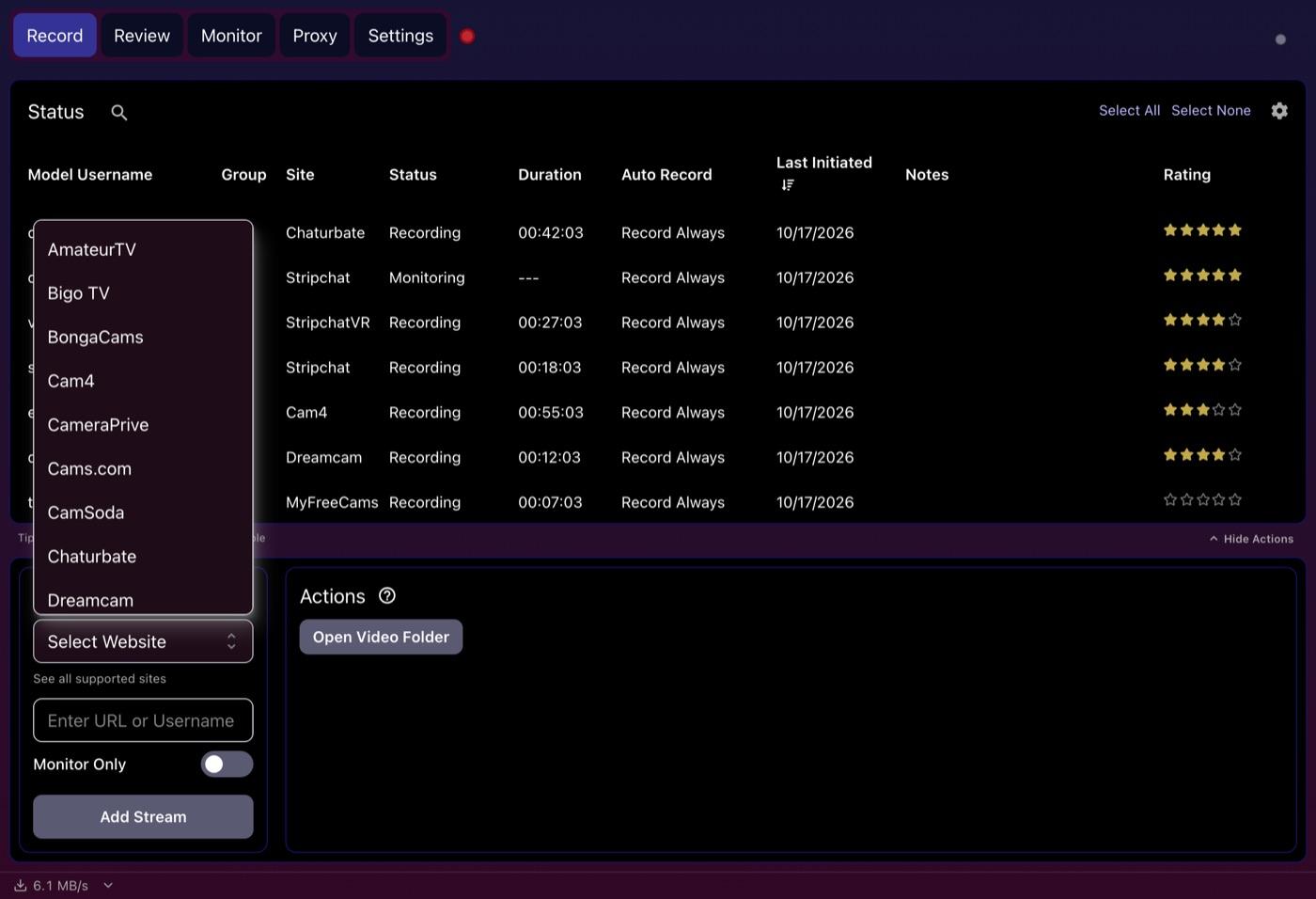
Moniturbate lists ten platforms: BongaCams, Cam4, CamSoda, Chaturbate, Flirt4Free, Jerkmate, LiveFreeFun, MyFreeCams, Streamate and Stripchat. CaptureGem has all of them built in except LiveFreeFun, and adds XHamsterLive, CameraPrive, LiveJasmin, ManyVids, Cams.com, XCams, XLoveCam, AmateurTV, Sexchat.hu, TangoMe, Bigo TV and Superlive. More than 130 further platforms work through Streamlink.
VR is the other big difference. Moniturbate doesn't mention it. CaptureGem covers three VR sites, StripchatVR, Dreamcam and SexLikeReal, and saves each show as a side-by-side fisheye MP4 that headset players such as HereSphere open directly. The Dreamcam guide walks through one of them.
Free versions side by side
For a new user, this is where the two differ most. Moniturbate's free version keeps an unlimited monitoring list but records one model at a time, has no auto-record, and doesn't save the list between sessions.
CaptureGem's free version takes up to 10 models and can record several of them together. Each recording stops at five minutes and begins only if the model is already live at the moment you add them or press start, so it is a trial rather than a full recorder, but it shows exactly how CaptureGem behaves on your sites before you pay anything.
On the paid side, Moniturbate Premium is listed at $29 per month and adds unlimited simultaneous recordings, auto-record, automatic MP4 encoding and a saved monitoring list. CaptureGem Premium removes the free limits and adds auto-record, unlimited simultaneous recordings and duration, cross-site groups, Proxy mode, an optional built-in browser to help with rate limiting, and complimentary CamTrove Premium. Compare CaptureGem's plans.
The files you end up with
Moniturbate saves .ts and MP4 files, and automatic MP4 encoding is one of its Premium features. CaptureGem writes MP4 by default on both plans, with MKV available in Settings. Premium also breaks long shows into one-hour files by default, so a marathon stream doesn't become one unwieldy file; Cap Video Segments at Duration changes the length.
One performer, several sites
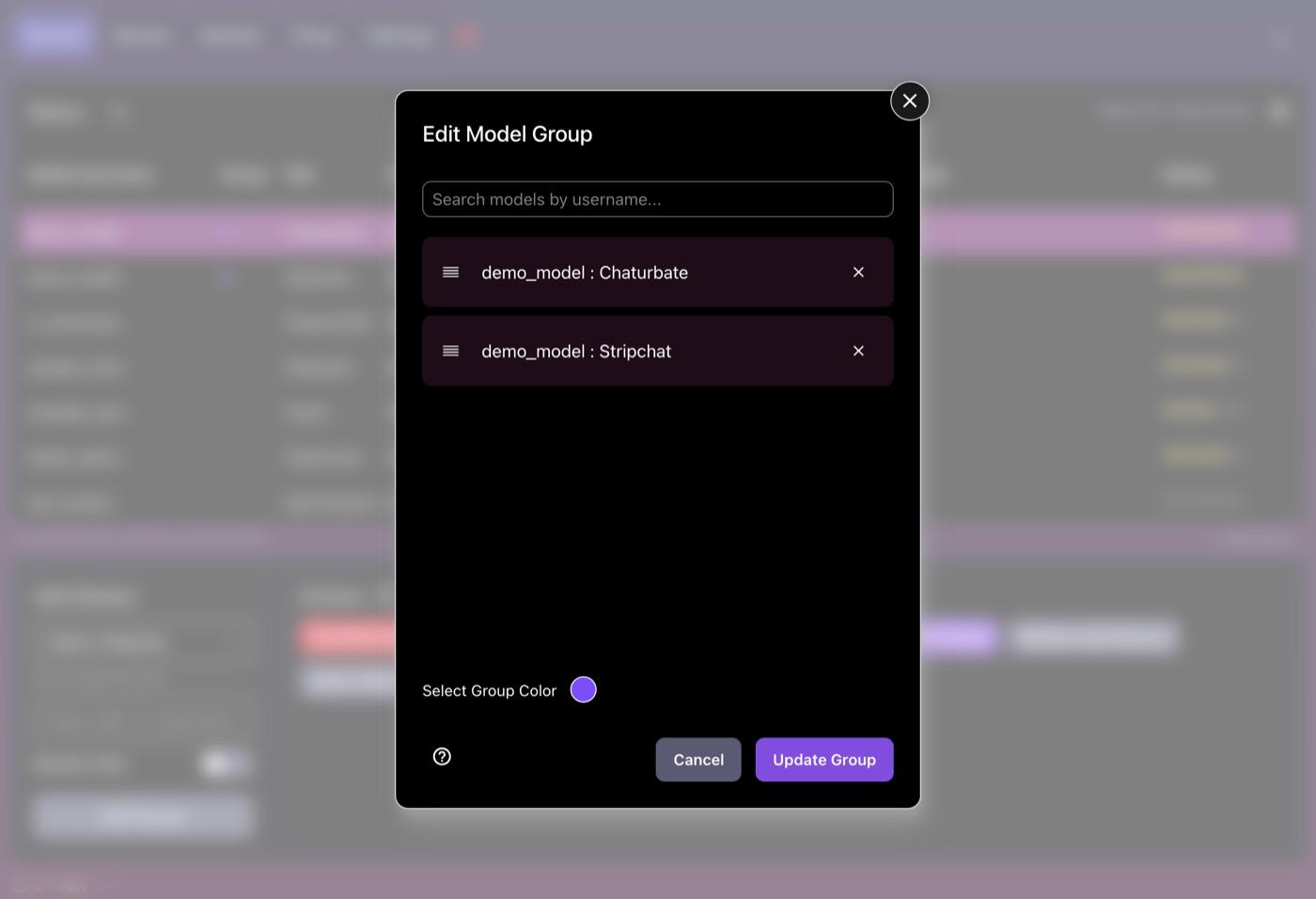
Moniturbate treats every room as its own entry. CaptureGem Premium lets you bundle a performer's rooms across sites into one group, so when they go offline or private in one place, recording can carry on from another room in that group.
Keeping track of what you recorded
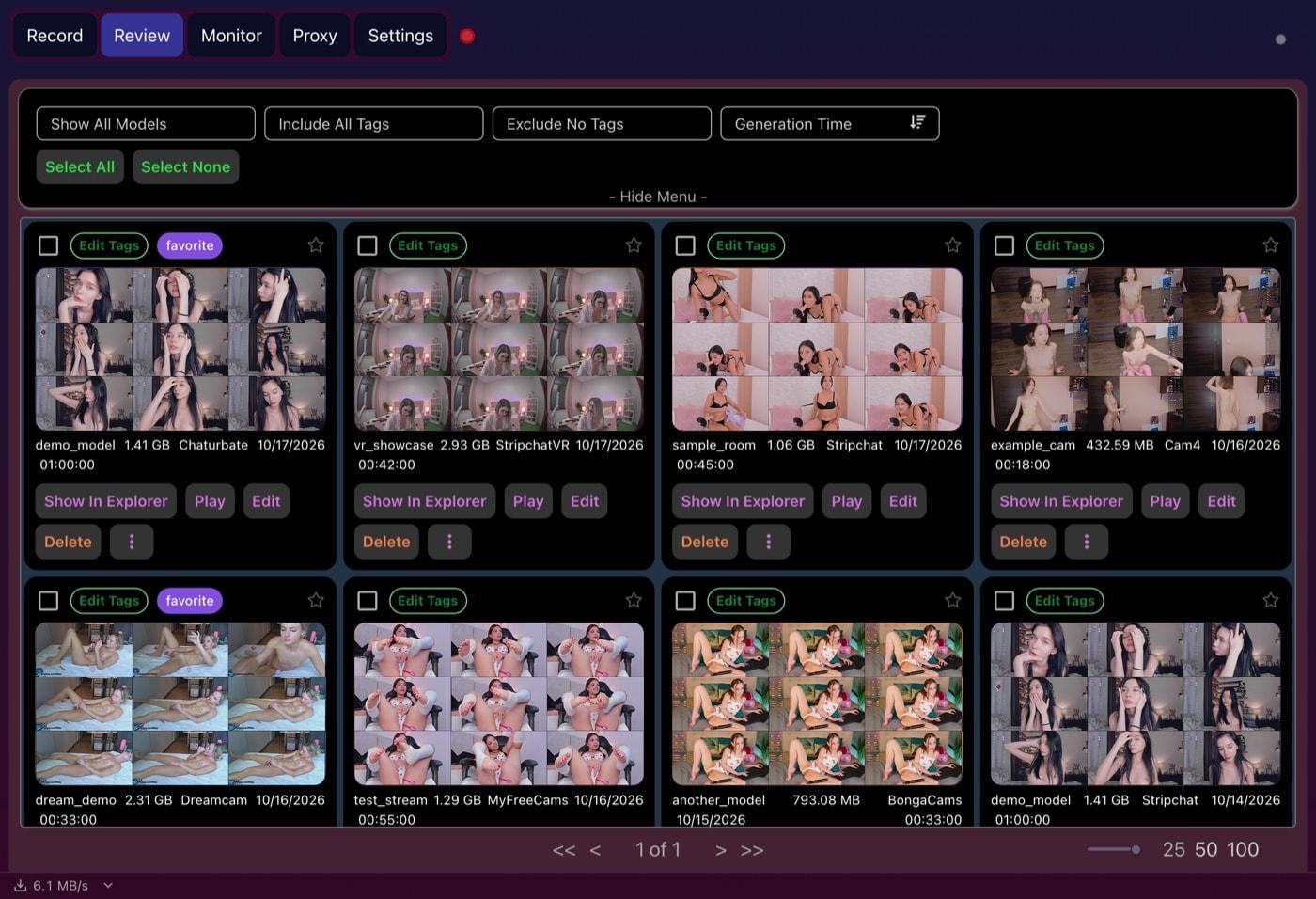
Moniturbate's editor cuts, trims and extracts clips as compressed MP4 files, which covers quick edits. CaptureGem has an editor too, for keeping or cutting sections and combining recordings, but its Review tab goes further: every recording gets an image grid, and you can filter the library by model and tag, star the best recordings, give each a review status and shield keepers from deletion. Once you are recording dozens of shows a week, that library is what keeps the collection manageable.
Private shows and other sites
CaptureGem Premium's Proxy mode routes your browser through CaptureGem, so it can save a private show you are watching, streams on sites it doesn't support directly, and saved recordings on cam sites. Moniturbate doesn't advertise anything comparable. Setup guides: Windows, macOS and Linux.
Which one should you pick?
- On a Mac or Linux: CaptureGem, since Moniturbate's recorder is Windows software.
- Recording VR, or sites beyond Moniturbate's ten: CaptureGem.
- Trying before you pay: CaptureGem's free version captures several models in parallel; Moniturbate's handles one.
- Windows only, all your models on Moniturbate's list, and simplicity matters most: Moniturbate is a credible option.
Moving your monitoring list to CaptureGem
- Download CaptureGem and install it. No signup is needed.
- Copy each model's room link or username from your Moniturbate list.
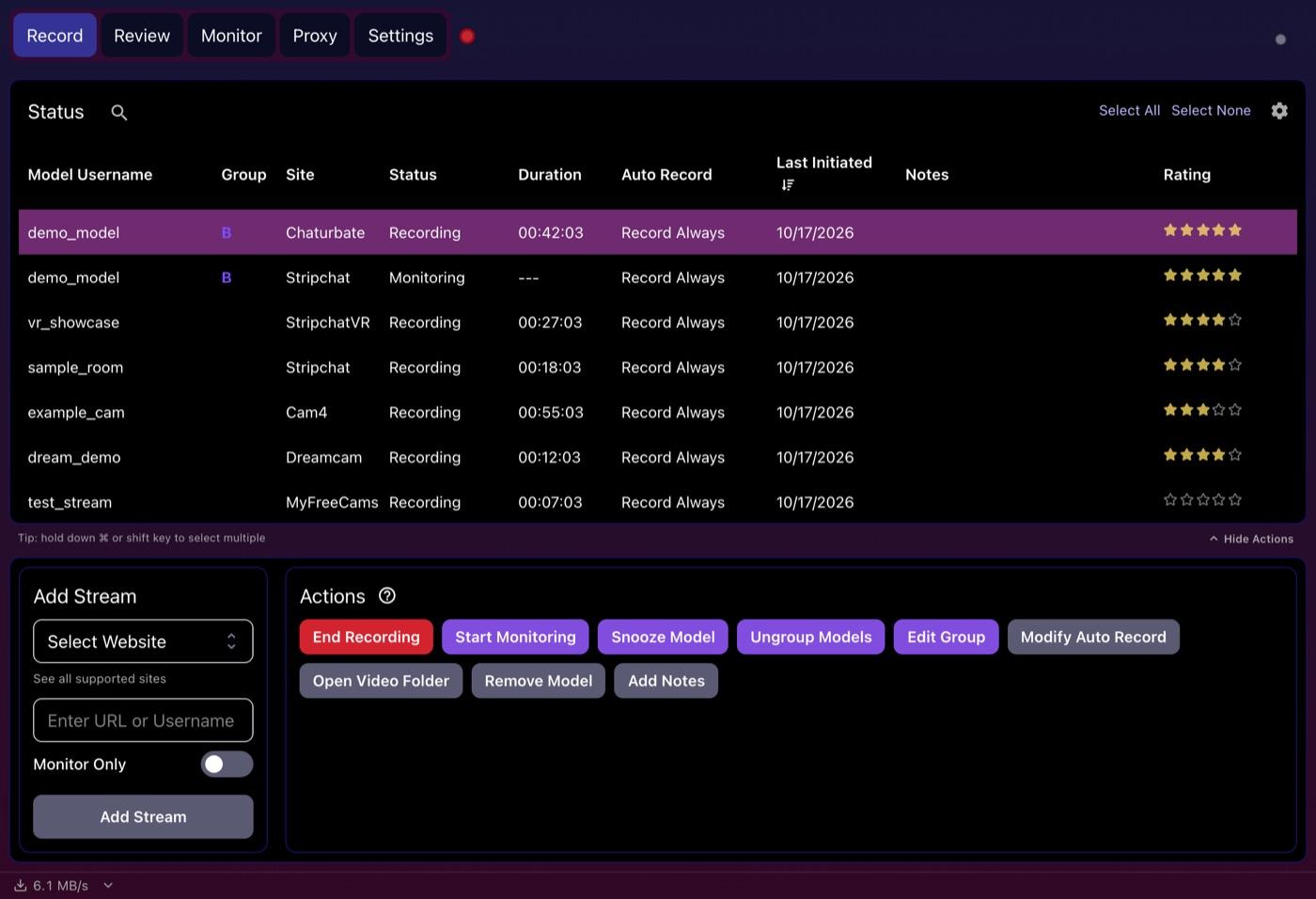
- Add them on the Record tab: choose the site, paste the link, press Add Stream. The recording guides list what each site needs.
- With Premium, select the models and set Record Always under Modify Auto Record. To make that the default, switch on Auto Record All Newly Added Models in Settings.
- If a performer streams on several sites, group those rooms so CaptureGem can follow them between sites (Premium).
- Quit Moniturbate before the next show so the two programs are not downloading the same stream.
Verdict
Moniturbate does the basics competently for Windows users on its ten platforms. CaptureGem does more wherever it counts: three operating systems, 25 built-in sites with VR, Streamlink for everything else, a free tier that can run several recordings at once, cross-site groups, Proxy mode and a self-organizing library. Start with the free download and move to Premium when you want unlimited, automatic recording.
Only record streams you are entitled to keep, and treat performers, each site's rules and your local laws with respect.